How Regression Guard works
Set up your projects. Analyse the release candidate. Review and fix unintentional changes before deployment.
In four steps:
- 01Set the production referenceConnect source control, identify production and configure the relevant component relationships.
- 02Select the candidateChoose the release candidate you want to evaluate.
- 03Compare behaviourMap affected flows and isolate behaviour that differs from production.
- 04Review the resultReview Early's Expected and Regression verdicts and inspect the evidence and source behind each one.

Inside the analysis
Evidence behind every result
Follow the affected path
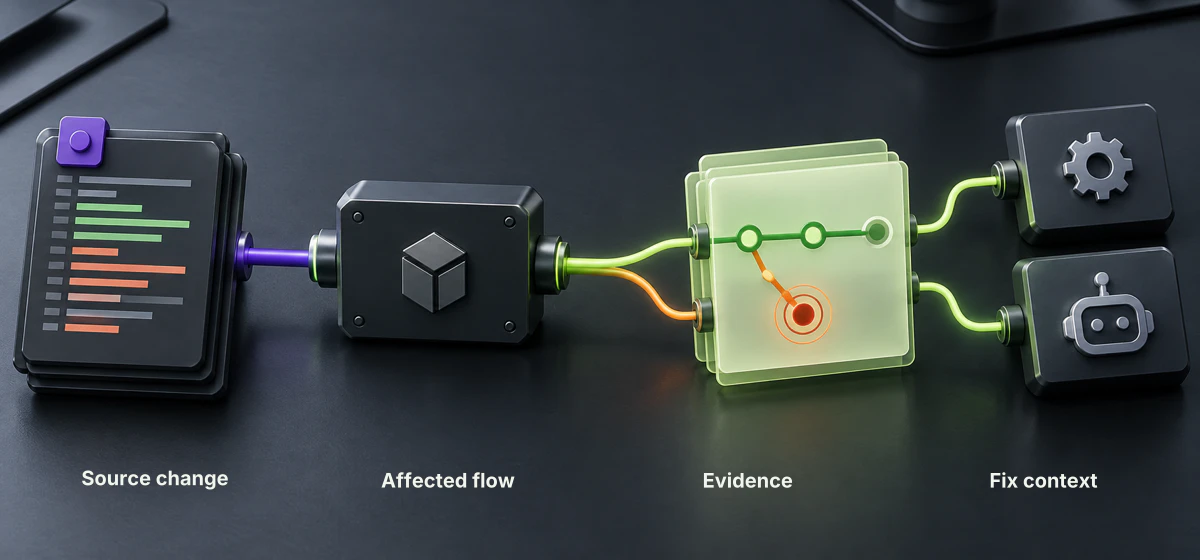
Trace the candidate change through dependent components to the business flow that changed.

From source change to affected flow

Expected or Regression
Inspect the evidence behind each verdict
Review the evidence and source behind Early's Expected or Regression verdict.
Take the context into the fix
Connect the behaviour to its source change, commit and analysis run, then pass that context to the engineer or coding agent.
Source and evidence together

