5 Ways to Check Agent-Generated Code for Regressions
A clean diff and passing tests are useful evidence. They do not show every existing behavior a release candidate may have changed.
Checking agent-generated code for regressions means verifying more than whether the requested change works. A team must also determine whether the release candidate changed existing behavior outside the task, the diff, or the tests the coding agent ran.
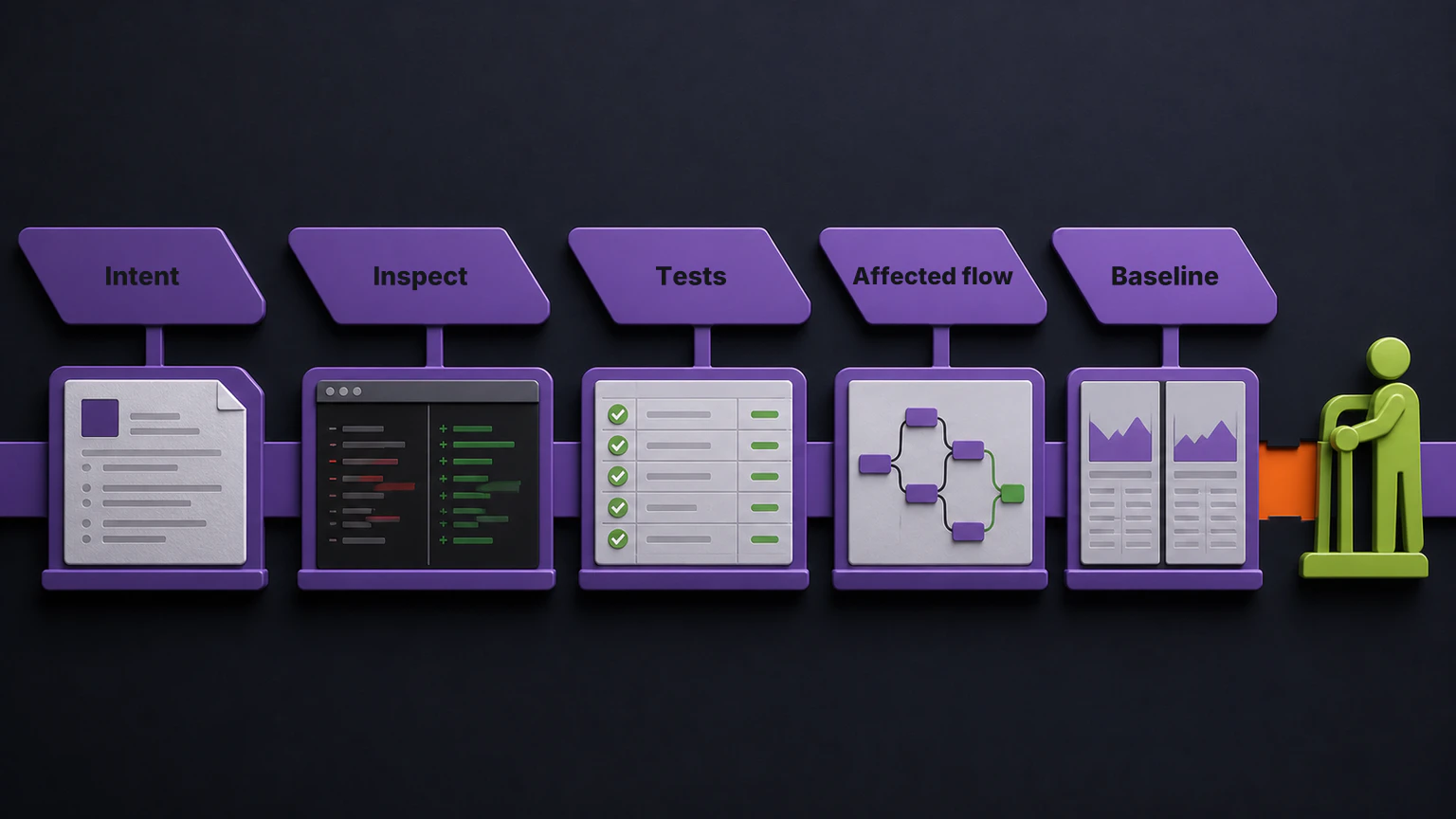
Five practical checks cover the evidence: define the intended change, inspect the agent’s work, run deterministic checks and tests, identify affected business flows, and compare the release candidate with production behavior. An accountable person then reviews the combined evidence and makes the release decision.
This is not a special ceremony for AI code. It is the release discipline that becomes more important when a team can produce changes faster than it can understand their consequences.
Why a Clean Change Can Still Regress
Imagine that a coding agent updates a shared discount service. The task is narrow: add a new promotion type and expose it through one API endpoint.
The pull request can look correct. The new tests can pass. Static analysis can be clean. The endpoint can return the expected result.
The release can still alter renewal pricing, invoice totals, account entitlements, or a reporting job that depends on the same service. Those workflows were not part of the task, so the agent may never have loaded them into its working context.
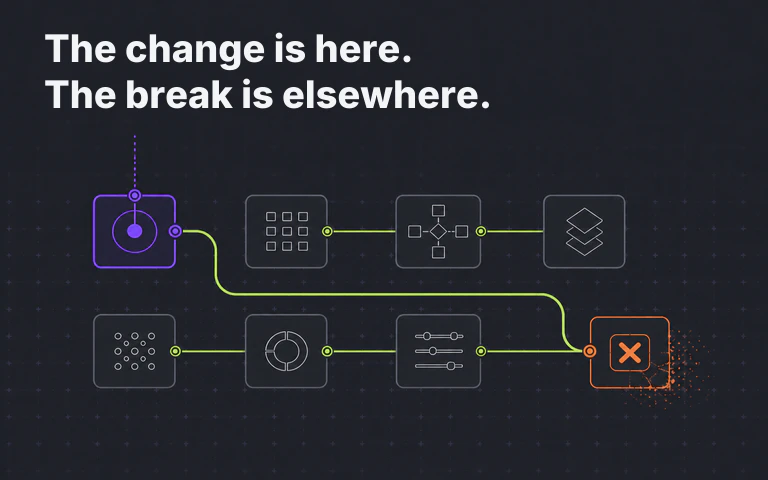
This is the central verification problem. The change is visible in the pull request. Its consequences are distributed through the product.
Verifying AI-generated code is therefore a different job from reviewing it. Review asks whether the implementation is sound. Regression analysis asks which established behavior the implementation may have changed.
Five Ways to Check Agent-Generated Code for Regressions
Each step answers a different question. Skipping one does not make the others stronger.
| Step | Question | Evidence |
|---|---|---|
| 1. Define intent | What is supposed to change? | Acceptance criteria, constraints, owner decisions |
| 2. Inspect the work | What did the agent actually change? | Diff, commands, tool use, assumptions |
| 3. Run checks | Does the implementation satisfy known controls? | Build, lint, security checks, tests |
| 4. Identify impact | Which existing flows could depend on the change? | Product and system relationships |
| 5. Compare behavior | What behaves differently in the release candidate? | Production baseline and candidate evidence |
These five checks produce evidence. They do not make the release decision.
Step 1: Define the Intended Change
Start with the contract for the work, not the generated code.
Record the requested outcome, explicit constraints, relevant product rules, and behavior that should remain unchanged. If the task says only “add support for a new promotion,” the team still needs to identify important boundaries such as existing promotion precedence, renewal behavior, rounding rules, and authorization.
This gives reviewers a standard that is independent of the agent’s implementation. Without it, a polished diff can quietly redefine the task.
Keep the contract concise enough to review. A useful task statement answers:
- What user or system outcome should change?
- Which behavior must remain unchanged?
- Which interfaces, data rules, or security boundaries apply?
- Who can clarify an ambiguity?
Step 2: Inspect the Agent’s Work
Review the final diff, but also review how the agent reached it when that record is available.
Useful provenance includes the prompt, repository instructions, files inspected, commands run, tests selected, tool approvals, and assumptions the agent made. This does not prove correctness. It shows the boundary of what the agent considered.
The review should look for implementation defects, authorization mistakes, incomplete error handling, unexpected data changes, and divergence from the acceptance criteria. It should also ask what relevant context was absent.
GitHub’s responsible-use guidance for coding agents likewise tells users to review and verify AI output and supplement it with careful human review. That is a useful boundary from a vendor building these workflows: an agent’s output is input to an accountable review, not the approval itself.
For a repeatable process, use an explicit review contract rather than a broad request to “review the code.” The AI code review best-practices guide explains how to define scope, maintain context, bound tools, require evidence, and keep approval with an accountable person.
Step 3: Run Deterministic Checks and Tests
Run the controls that provide reproducible evidence:
- Build and type checks.
- Linters and policy checks.
- Static security and dependency checks.
- Unit, component, integration, and end-to-end tests relevant to the change.
- Focused tests for the new acceptance criteria and important error paths.
Investigate failures before changing the expectation. A failed test may represent an intended product change, a stale assertion, a setup problem, or an unintended regression. The agent can help investigate, but it should not silently rewrite a failing test until the suite turns green.
Passing tests answer an important but bounded question: did the release candidate satisfy the checks that were defined and executed? They do not show whether every affected behavior had a test.
Step 4: Identify Affected Business Flows
Move from files to product behavior.
A shared service can participate in several customer, financial, operational, or administrative flows. The team needs to know which of those flows the change puts at risk, even when the files that implement them did not change.
For the discount-service example, the affected-flow review might include:
- Creating a new subscription with a promotion.
- Renewing an existing subscription.
- Combining account and campaign discounts.
- Calculating invoice totals and taxes.
- Applying entitlements after payment.
- Exporting promotion data for reporting.
Do not infer that a changed file is the complete impact boundary. Use documented architecture, product ownership, configured system relationships, and domain expertise to identify what deserves verification.
Step 5: Compare the Release Candidate
The next question is not whether the code looks correct. It is whether the release candidate behaves differently from the production baseline.
Production behavior provides a useful reference because it records what the deployed system currently does. Comparing the release candidate with that baseline can surface differences in flows that were not part of the coding task.
The result still requires interpretation. Some differences are expected because the release intentionally changes behavior. Others reveal an unintended regression. A useful report preserves the evidence and lets the team classify each difference rather than turning every change into the same pass-or-fail signal.
This is where release-level analysis complements tests. Tests start from specified scenarios. Baseline comparison starts from existing behavior and asks what changed.
Make the Release Decision
Bring the evidence together:
- Did the implementation satisfy the task?
- Did code review find unresolved defects or risks?
- Which checks ran, passed, failed, or were skipped?
- Which business flows could be affected?
- Which behaviors differ from production?
- Which differences are expected, and who confirmed them?
The engineering, QA, product, or release owner decides what ships. An agent can summarize evidence and investigate a finding. It should not turn incomplete context into automatic approval.
The decision should also record uncertainty. If an affected flow was not evaluated, say so. If a test environment differs from production, say so. A visible gap is more useful than a clean status that implies evidence the team does not have.
Where Regression Guard Fits
Early’s Regression Guard applies Regression Intelligence to release verification. It shows which business flows a change puts at risk, compares a release candidate with the production baseline, and surfaces behavioral differences for the team to review.
Cross-component analysis can extend that review across relationships the customer configures during onboarding. Regression Guard does not discover or build those relationships.
Regression Guard does not replace code review, tests, security controls, or post-release monitoring. It addresses the release-level question those controls do not answer on their own: what existing product behavior did this release candidate put at risk?
The team remains accountable for classifying the evidence, investigating unexpected differences, and making the release decision. See how Regression Guard works.
Release Checklist
Before agent-generated code reaches production, confirm that:
- The intended change and unchanged boundaries are explicit.
- The final diff matches the task rather than redefining it.
- Agent instructions, tools, commands, and skipped checks are visible.
- Deterministic checks and relevant tests ran successfully.
- Failing tests were investigated before expectations changed.
- Affected business flows were identified beyond the changed files.
- Release-candidate behavior was compared with the production baseline where available.
- Expected and unexpected differences were reviewed separately.
- An accountable person owns the release decision.
- Known evidence gaps are recorded rather than hidden.
The goal is not to distrust agent-generated code by default. The goal is to apply evidence at the level where the risk exists. A coding agent changes files. A release changes a product.
Frequently Asked Questions
How do you check agent-generated code before production?
Define the intended change, inspect the diff and agent provenance, run deterministic checks and tests, identify affected business flows, and compare the release candidate with the production baseline. Then have an accountable person review the evidence and decide whether to ship.
Is regression testing enough for agent-generated code?
Regression tests are important evidence, but they cover scenarios somebody anticipated and encoded. Teams also need to examine affected business flows and whether the release candidate changed production behavior outside the requested task.
How is checking agent-generated code different from code review?
Code review evaluates the proposed implementation. Release-level regression analysis evaluates whether the combined release candidate changed existing behavior, including behavior outside the files in the diff.
What is an agent-generated code regression?
It is an unintended change to existing software behavior introduced by code created or modified by a coding agent. The affected behavior may sit outside the agent’s task, the changed files, or the tests the agent ran.
Does Regression Guard decide whether a release should ship?
No. Regression Guard surfaces affected business flows and behavioral differences between a release candidate and the production baseline. The engineering, QA, product, or release owner investigates the evidence and owns the release decision.