Top 7 AI Bug-Finding Tools Compared: From Detection to Fixes
Where tools look, what they find, how they repair it, and what engineering still validates.
The right AI bug-finding tool depends on where the problem appears and what happens after the tool finds it.
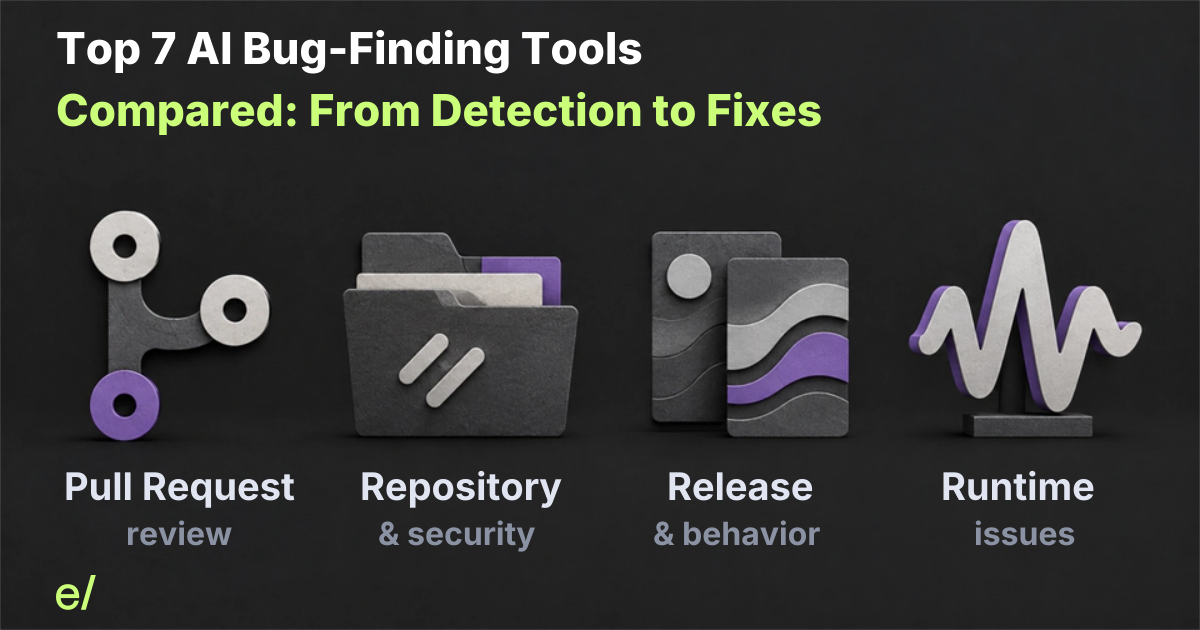
Some tools review a proposed Pull Request. Some scan repository or security findings. Some analyze a release candidate against an approved baseline. Others start with an issue that has already appeared in a running system.
The repair path varies just as much. A tool may report a finding, suggest a patch, implement a code change, open a Pull Request, run checks, or leave all of that work to engineering.
This comparison looks at seven AI bug-finding tools across those different surfaces. The list is selected for workflow coverage, not ranked by effectiveness or based on a hands-on benchmark. Documentation and approved product records were reviewed on October 24, 2026. Early publishes this comparison and is one of the products included.
The comparison in one view
| Tool or workflow | Starts with and looks at | Finds | Repair output | Engineering validates |
|---|---|---|---|---|
| GitHub Copilot Code Review | Proposed Pull Request and repository context | Correctness, security, and quality issues | Suggestions and a separate public-preview cloud-agent handoff | Change, checks, behavior, and merge decision |
| Cursor Bugbot | Proposed Pull Request and configured repository context | Bugs, security, and code-quality problems | Suggestions and optional Autofix | Provider, permissions, branch, and checks |
| CodeRabbit | Proposed Pull Request and review context | Review and code-quality findings | Suggestions, commits, or stacked Pull Requests | Resulting change and evidence |
| SonarQube Server with AI CodeFix | Analyzer finding in repository code, rules, and dependencies | Rule-based code-quality and security findings | AI-generated repair suggestions | Edition, rule eligibility, patch, and checks |
| CodeQL with GitHub Autofix | Code-scanning security alert | Security vulnerabilities | Suggested changes or agentic Autofix | Security remediation and broader behavior |
| Early Release Guard | Selected code change: Pull Request, nightly run, release candidate, or test window | Bug Hunter: general defects. Regression Hunter: baseline-relative behavior changes | Fix, tests, and draft Pull Request after authorized initiation | Review, amend, validate, and merge |
| Sentry Seer | Observed runtime issue and connected telemetry/code | Root causes and likely fixes | Code changes and Pull Request creation | Repair, tests, deployment risk, and resolution evidence |
The workflows are not interchangeable. A security alert is different from a behavioral regression. A runtime issue is different from a defect found in a release candidate. A generated patch is different from a validated repair.
1. Pull Request review
GitHub Copilot Code Review
Copilot Code Review works inside GitHub workflows and reviews Pull Requests using the changed code and available repository context. It can identify issues and suggest fixes. GitHub also documents a separate public-preview cloud-agent handoff for follow-up repair work.
The documented workflow separates review from repair. A review comment does not mean the code was changed. Teams should evaluate both the signal of the finding and the work required to turn it into an accepted change.
Choose this when: your team already works in GitHub and wants review-time findings with a separate path for follow-up repair.
Cursor Bugbot
Cursor Bugbot reviews Pull Requests for bugs, security issues, and code-quality problems. It can run automatically on Pull Request updates or be triggered manually. Its optional Autofix workflow is a separate step from the review.
Autofix availability and branch behavior vary by provider. The documented provider matrix lists no Autofix mode for Azure DevOps. Evaluate the review and Autofix separately, including the provider, permissions, resulting branch, and documented checks.
Choose this when: you want Pull Request review with an optional provider-specific Autofix path and can confirm the integration mode you need.
CodeRabbit
CodeRabbit is a dedicated Pull Request review workflow. Its review findings can be followed by Fix comments that implement changes as a commit or stacked Pull Request.
CodeRabbit documents repository setup and build verification for its repair flow, but it can still deliver changes when verification fails. The Pull Request remains a review artifact. Engineers still need to inspect the change and decide whether the repair addresses the original finding without creating a new problem.
Choose this when: you want review findings that can become commits or stacked Pull Requests, with repository setup and build verification in the repair workflow.
For a deeper comparison of Pull Request review tools, see the AI code-review tools comparison.
2. Repository and security analysis
SonarQube Server with AI CodeFix
SonarQube Server separates analyzer findings from AI CodeFix. The analyzer identifies code-quality and security issues through its supported rules and analysis. AI CodeFix is available in SonarQube Server Enterprise and Data Center editions for eligible findings and can generate a repair suggestion.
The distinction matters when evaluating the tool. The analyzer finding is not an AI discovery result. Confirm the product edition, provider, supported language, rule eligibility, and available checks.
Choose this when: you want analyzer-led code-quality and security findings with AI repair suggestions for eligible rules.
CodeQL with GitHub Autofix
CodeQL begins with a code-scanning security alert. GitHub documents separate Copilot Autofix and agentic Autofix experiences. One can provide a suggested code change for an alert, while the agentic workflow can investigate, generate a fix, rerun CodeQL within documented query-suite limits, and open a draft Pull Request when the repository is eligible.
CodeQL therefore belongs in this comparison as a security-finding workflow, not as a general behavioral bug detector. Its rerun is CodeQL evidence within the supported query scope. Its security scope is valuable, but it does not establish that unrelated product behavior remains correct.
Choose this when: security vulnerabilities and CodeQL evidence are the primary risk you need to remediate.
3. Release and behavior analysis
Early Release Guard
For the workflow alongside an existing reviewer, see what Early adds after code review.
Early Release Guard analyzes code changes during the analysis window chosen by the team. The current direction includes a Pull Request, nightly run, release candidate, or test window. Exact triggers and execution mechanics remain configuration-dependent and are not specified here.
Early has two distinct finding modes:
- Bug Hunter identifies general defects, including issues already present in the analyzed code. It does not require the defect to be a newly introduced behavior change.
- Regression Hunter identifies unintended behavior changes relative to an approved baseline. The baseline is relevant to regression analysis, not required for every Early finding, and is not automatically a defect-free representation of the product.
For an eligible finding and after authorized initiation, Early finds bugs, implements the fix, adds tests, and opens a draft Pull Request. Engineers review, amend, validate, and control the merge.
This differs from ordinary Pull Request review in both the analysis window and the question being asked. Code review asks whether a proposed implementation is sound against the task and available context. Release Guard can examine the change in a broader behavior and release context, identify general defects or unintended behavior changes, and carry an eligible finding into a reviewable repair.
Release analysis does not necessarily mean executing the deployed application. A nightly run is a recurring pilot pattern, not proof of universal scheduling or unattended repair. A production reference used as a baseline is not the same as live production telemetry.
Read How to Evaluate AI Bug-Fixing Tools for the criteria to use when piloting this kind of workflow, and see the Pydantic AI Case File for a concrete finding-to-Fix Pull Request example. The verified repair guide explains how to inspect the repair and its evidence without treating generated tests as proof that checks passed.
Choose this when: you need analysis beyond edited lines and want eligible findings carried into an engineer-reviewed repair workflow.
4. Runtime issue investigation
Sentry Seer
Sentry Seer starts from an observed issue. It can use issue context, traces, logs, profiles, and connected code to investigate a root cause, generate code changes, and open a Pull Request.
That is a different starting point from a Pull Request reviewer or a release-candidate analyzer. The system has already observed a failure or performance issue. The question is how well it explains and repairs that issue, not whether it proactively discovers every unknown defect before deployment.
Runtime evidence can be valuable because it reflects an actual observed condition. It still does not make the generated repair automatically correct. Teams must review the change, run relevant checks, consider deployment risk, and confirm whether the original issue is resolved.
Choose this when: the problem already appears in errors, traces, logs, profiles, or deployed behavior and the investigation should start from that evidence.
What “fixing” means
The word “fix” can describe several different outputs. Compare them separately:
- A finding or report identifies a possible issue.
- A suggestion proposes code that might address it.
- An implementation changes the code.
- A commit records the change on a branch.
- A Pull Request packages the change for review.
- Executed checks provide evidence about the tested revision.
- Engineering validates the repair, amends it when needed, and controls the merge.
No item in that sequence automatically proves the next one. A generated test does not prove that it ran or passed. A passing check supports only the behavior it exercised. A merged Pull Request does not independently prove that the original issue was resolved.
How to choose
Choose the workflow that matches the evidence your team has and the risk you need to manage.
- Choose Pull Request review when the immediate question is whether a proposed change is correct before merge.
- Choose repository or security analysis when you need rules, dependency context, or vulnerability findings across code.
- Choose release and behavior analysis when you need to understand what a candidate change affects beyond the edited lines.
- Choose runtime investigation when the issue already appears in errors, traces, logs, or deployed behavior.
- Add a repair workflow when reducing the distance from finding to reviewable code is part of the goal.
The most useful evaluation is not the tool that produces the most findings or Pull Requests. It is the workflow that produces findings your team can understand, repairs engineers can review, and evidence that supports a defensible decision.
Before you expand a pilot
Before expanding a pilot, use the AI bug-fixing pilot guide to define representative cases, acceptance criteria, verification evidence, and the engineering decision record. Count failed, unsupported, rejected, and unresolved attempts. Do not treat Pull Request volume as a measure of successful repair.
The right tool is the one that helps your team move from a trustworthy finding to a reviewable repair with less avoidable work. The remaining work should be visible rather than hidden behind a completion label.
Explore Early Release Guard to see how Early connects finding, repair, tests, and validation while engineers control the merge.