Early Release Guard
Run your first analysis
Early Release Guard analyzes your release candidate to find bugs and identify affected and changed behaviors.
What this does
Kicks off analysis for one project in your release candidate, rather than the whole RC at once. Each project is analyzed independently, so you can start with whichever one is ready first.
Prerequisites
Steps
-
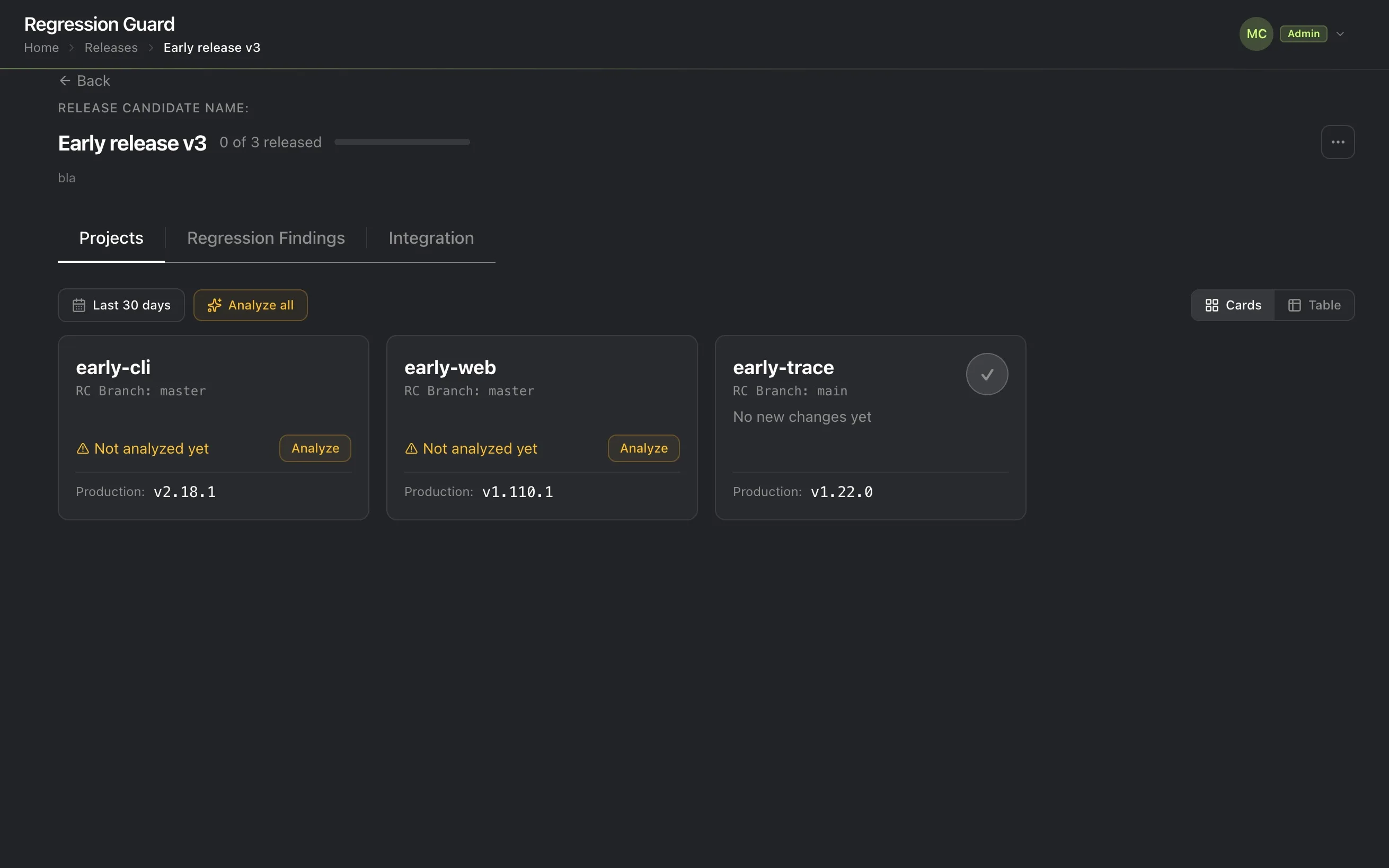
Open Releases and choose the release candidate. You’ll see the list of projects it covers.
-
Click Analyze on any project that needs it, or click Analyze all to start every unanalyzed project in the release candidate at once instead of one at a time.
When will I see that a project needs to be analyzed?
A project shows up as “needs analysis,” with an amber warning and an Analyze button, whenever there’s new work on its branch that hasn’t been checked yet:
- It’s never been analyzed before, such as a project that just joined the release candidate.
- Its branch has moved since the last analysis. New commits landed after the most recent run, so that run’s results no longer reflect what’s there now.
What to expect
Early identifies which product behaviors changed and marks each as expected or a regression. The first run can take several minutes. Expect a progress screen, not an instant result.
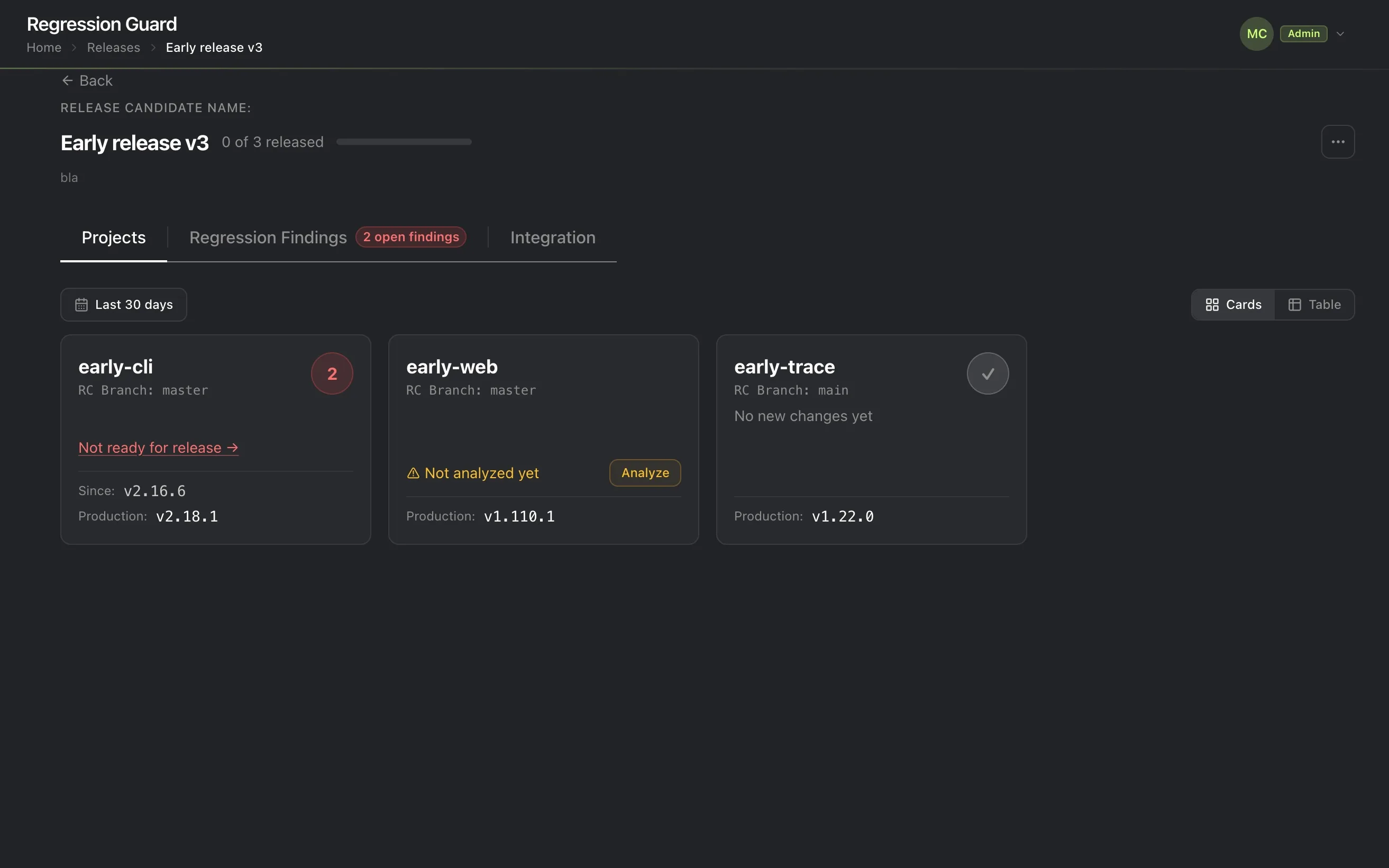
Once a project’s run finishes, its card updates in place. If Early found regressions, the card shows how many and a “Not ready for release” link straight into what it found.
Next
Watch it run to completion, or if a run has already finished, follow “Not ready for release” straight to reading the result.