Early Release Guard
Choose repositories
Early can only watch repositories GitHub has already granted it access to. If one you need is missing, grant access on GitHub first. This page covers how.
What this does
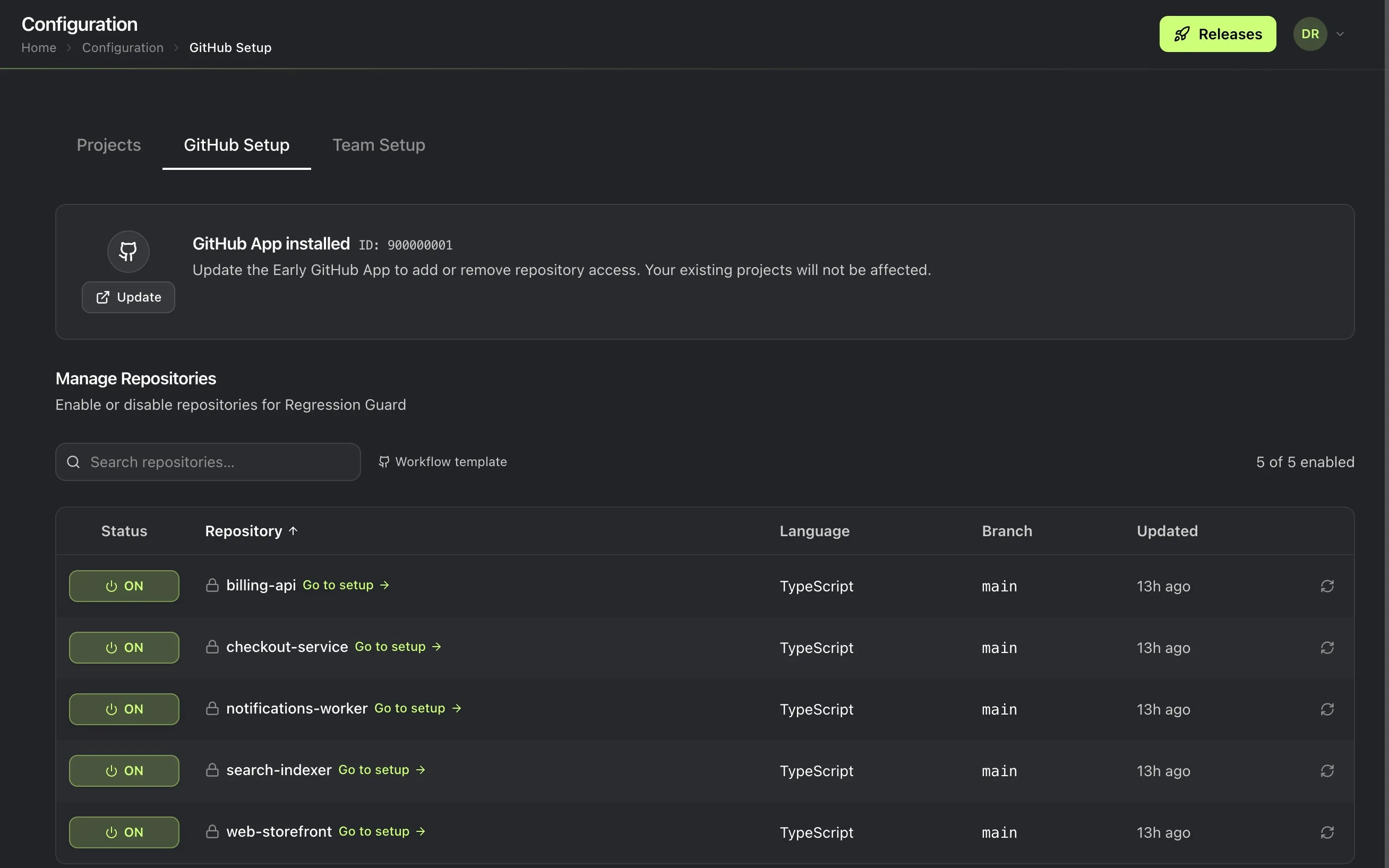
Chooses which of your GitHub repositories Early Release Guard watches for code changes. Toggling a repository on here turns on watching for it. Nothing more happens automatically beyond that.
Prerequisites
The GitHub App installed.
Steps
- Go to Setup, then the GitHub App tab.
- Toggle on each repository you want Early to watch.
If a repository you need isn’t listed
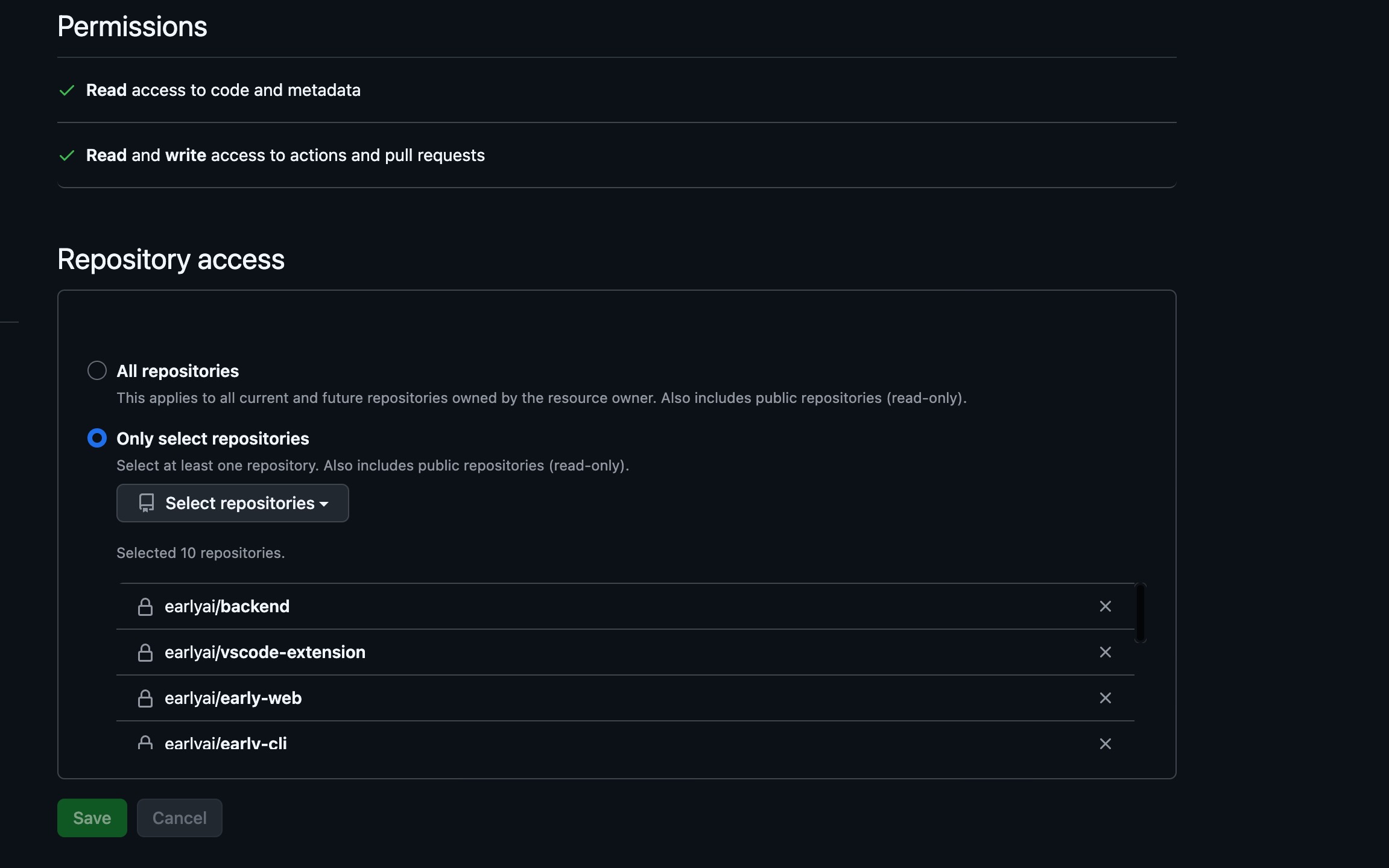
This list only shows repositories GitHub has already granted Early access to. It isn’t a list of every repository in your organization. If one you expect is missing, grant Early access to it on github.com first, then come back here. It appears once GitHub reports the grant.
Next
Set up your first project inside one of the repositories you just selected.