Early Release Guard
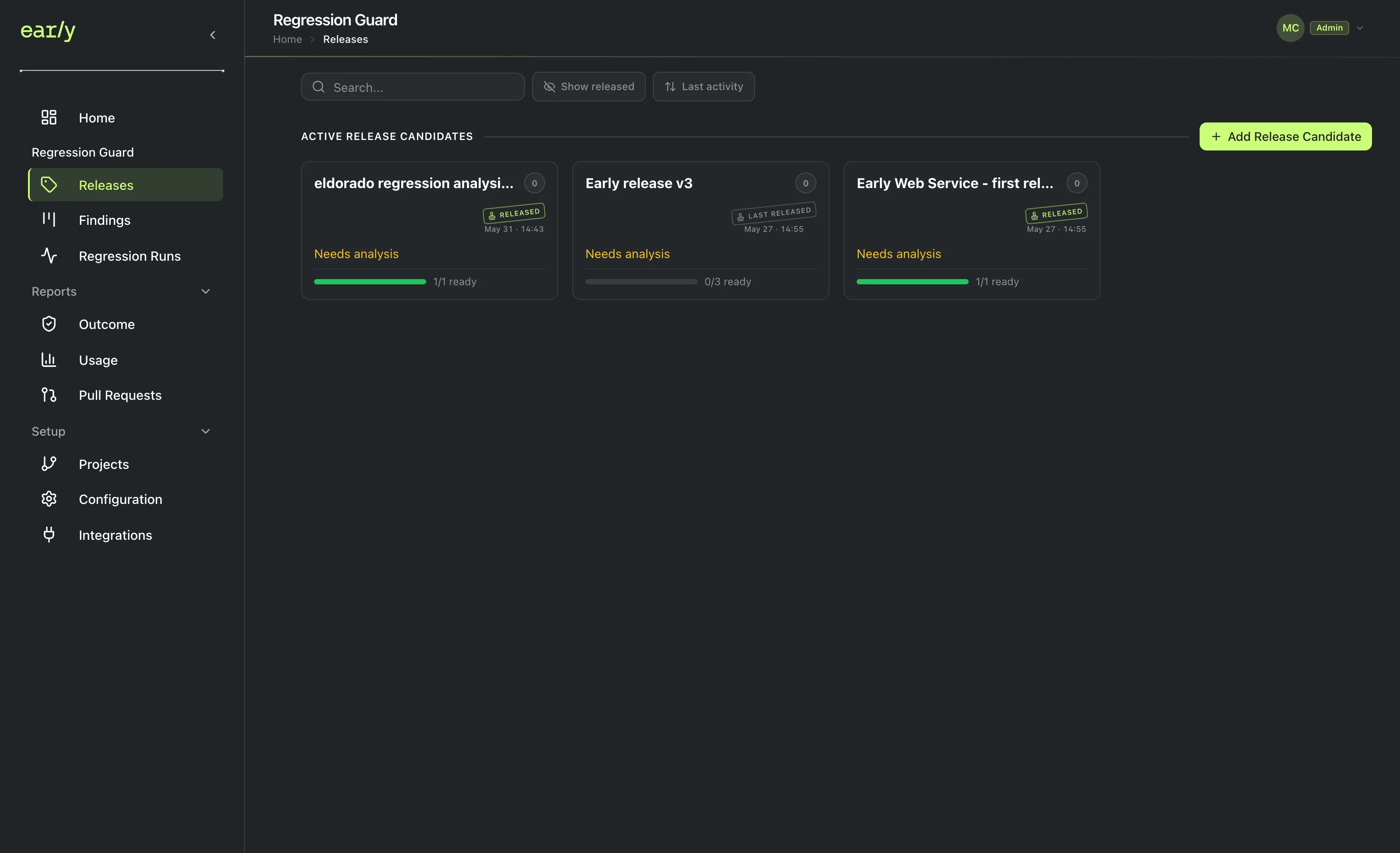
Add a release candidate
A release candidate is the version of your code you're about to ship, compared against what's live in production. Which projects you pick, and the relationships you mapped between them, determine what Early actually analyzes.
What this does
Creates a release candidate (RC), the unit that represents “this bundle of changes is about to ship.” Analysis, findings, and runs all hang off of it.
Why the release candidate is the anchor
A release candidate can bundle projects across several repositories, so a release that touches multiple services gets one combined safety check instead of one per repository. Each project inside it compares an anchor (what’s currently live) against a candidate branch or tag (what’s about to ship). Once every project has genuinely reached production, by tag or by branch depending on its release strategy, the RC can be marked released. The “X/Y ready” progress on each release card counts how many of its projects have a completed, up-to-date analysis; it’s the RC, not a single commit or pull request, that answers “am I ready to ship.”
Prerequisites
At least one project.
Steps
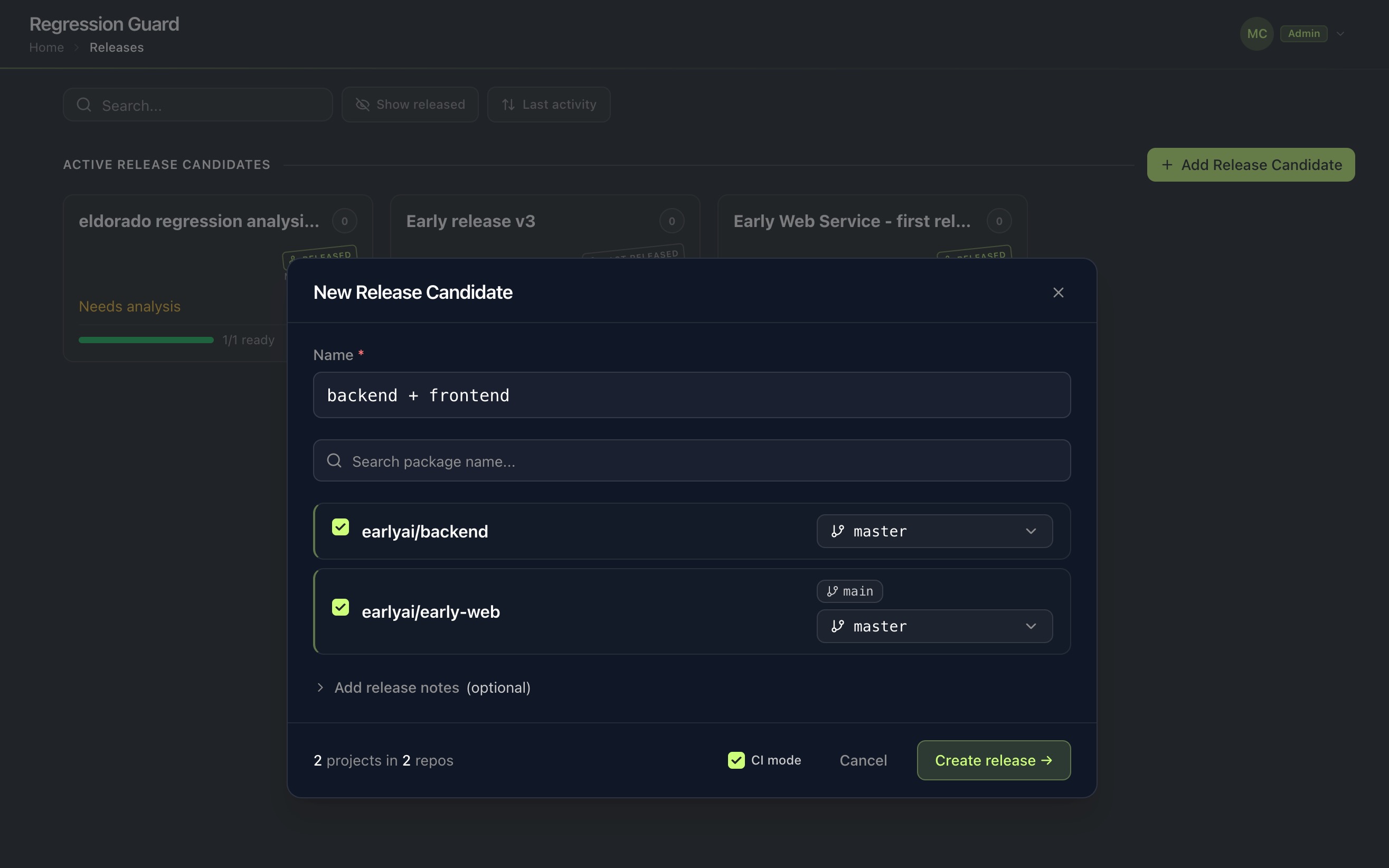
- In the left navigation, under Regression Guard, click Releases, then Add Release Candidate.
- Name the release. For example, use “backend + frontend.”
- Check the projects that belong to this release. Not every project you’ve set up has to be checked for every release. If only the backend is shipping this time, leave the rest unchecked.
CI mode
CI mode turns an RC from a one-off release attempt into a standing, continuous one. It’s set once at creation and can’t be changed afterward.
- Off: normal lifecycle. Analyze, wait for production to catch up, then mark released. Reopens if production advances again.
- On: never surfaces “released.” It just keeps re-analyzing as new commits land on the branch, and is exempt from the production freeze that otherwise blocks a non-CI project pending re-analysis.
Turn it on when you want an ongoing “always watching this branch” RC rather than a one-time release attempt.
When it turns on by itself: if your chosen release branch matches the production branch for every selected project. This is the classic CI shape, with no separate release branch. If any differ, it defaults off, but you can still enable it as long as every selected project has a release strategy and branch configured.
How project relationships affect this
Which projects you pick, and the relationships you mapped between them, determine what Early actually analyzes. A project with unmapped dependencies can only be checked in isolation.
Next
Run your first analysis against this release candidate.