Early Release Guard
Read the result
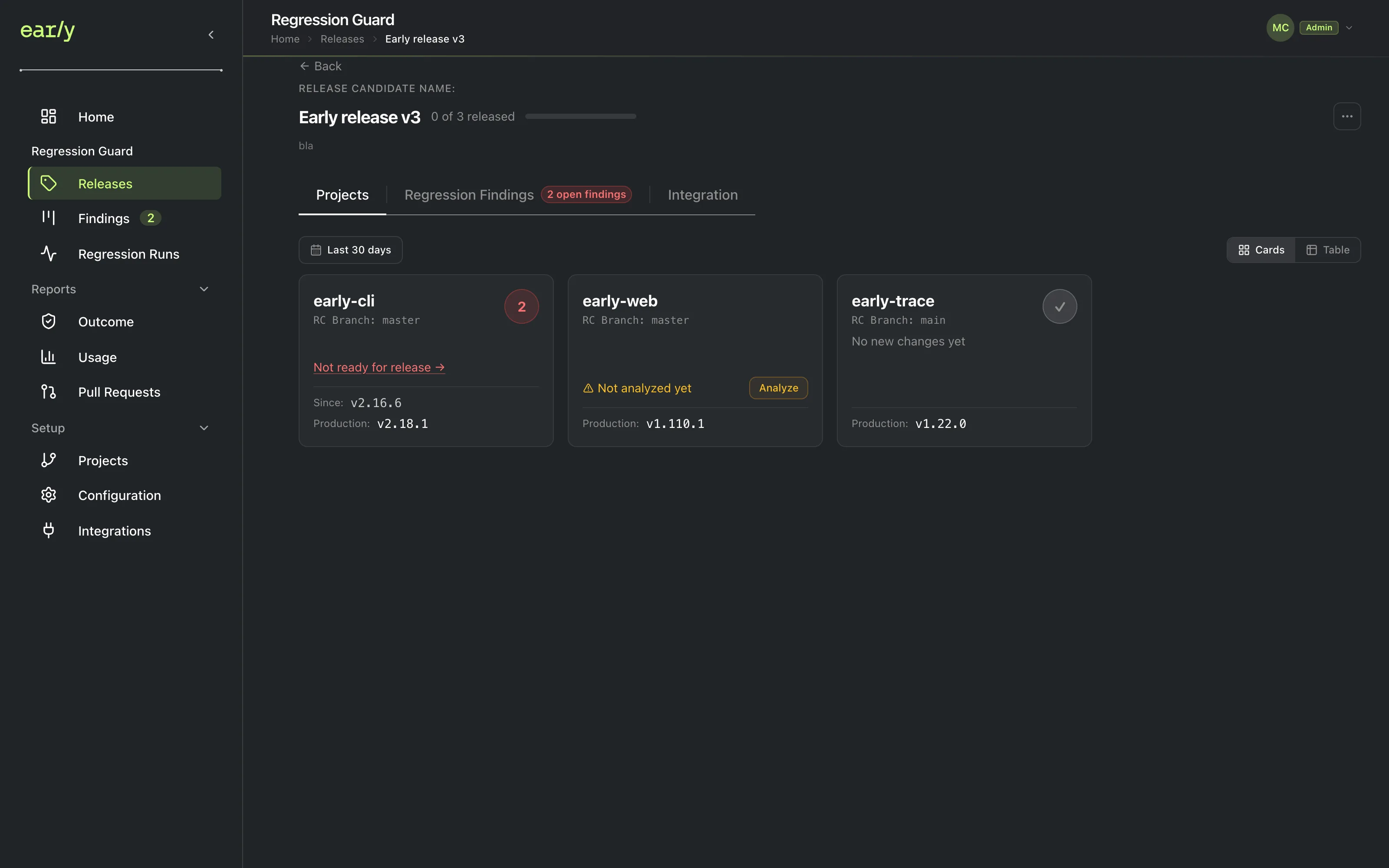
Open your release. Any project with regressions shows a "Not ready for release" link that you can follow to see exactly what changed.
What this does
A project with regressions shows a “Not ready for release” link right on its release card. Clicking through opens everything Early compared between its candidate and production.
Prerequisites
Steps
-
Go to Releases and choose your release. If a project has regressions, its card shows a “Not ready for release” link instead of a clean status.
-
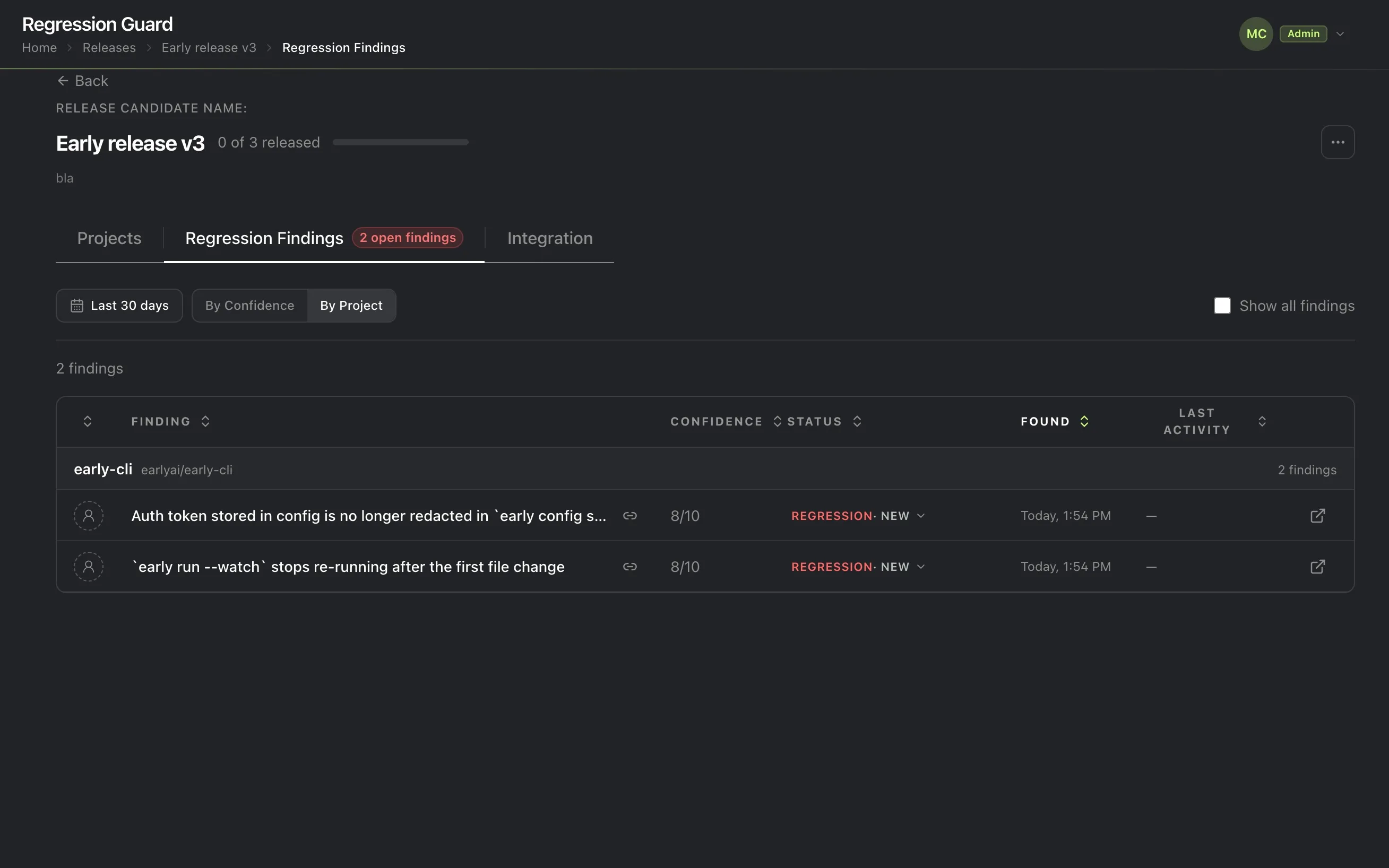
Click the project to see its findings.
Checkpoint
You’ve opened the result. This is the one Getting Started step that needs an explicit action from you rather than completing automatically, since finishing the run is Early’s doing but reading it is yours.
Next
Every finding here can be classified, closed, assigned, or tracked externally. Start with reviewing your findings.